Why a connected HR tech stack is a must-have in workforce management — especially as the go-to apps and tools in the field multiply.
- HR teams use too many disconnected tools, which causes duplicate data entry, errors, lost productivity, and frustration. Modern organizations rely on 21+ HR apps on average, making integration essential.
- Integrating HR systems (via native, custom, or middleware APIs) streamlines workflows, improves data accuracy and compliance, reduces manual admin work, and creates a smoother experience for both HR teams and employees.
- A connected HR tech stack — ideally through an HRIS/HCM hub — enables better analytics, efficiency, and one-portal ease, letting HR focus on strategy instead of juggling siloed platforms, much like an “all-in-one” Dr. Bronner’s-style solution for HR.
Maybe you’ve used Dr. Bronner’s 18-in-1 pure castile soap. Maybe you’ve seen it: in the Whole Foods, in the Sprouts, in the Central Market (howdy 🤠), in the Natural Grocers’ healthy living section.
It’s a shampoo. It’s a body wash. It’s a floor cleaner. It’s a makeup remover. Window cleaner. Laundry detergent. Veggie rinse. Ant spray.
You can even use it to brush your teeth, according to the official Dr. Bronner’s website.
And that’s exactly how your HR software platform should be.
Maybe you can’t mop your floors with your HRIS. But an HR information system should be able to also house your ATS, your LMS, your onboarding software, and further integrate with any number of platforms and tools — your communication software, your time management system, your payroll, and, of course, your applicant testing software (howdy x2 🤠).
That’s part of the reason ATS platforms are rebranding as HCMs (human capital management platforms) — they’re trying to satisfy the myriad needs of HR professionals, all within one tool.
The federal US Office of Personnel Management, too, is working to consolidate all 119 of its disparate HR systems into one platform, in order to cut down on data errors and frustrating inefficiencies across its systems.
Most organizations don’t have upwards of 100 tools, but they still have a lot. According to a survey from Sapient Insights Group, the average organization uses about 21 HR solutions, up from around 10 or so in 2019.
Imagine having to enter the same information — employee names, roles, data bits, birthdays, whatever — across all 21 of those platforms. Ok, maybe some of you do that already. It’s an enormous waste of time and productivity. Specifically if those apps and systems aren’t interconnected.
A well-integrated HRIS system should bring you the same ease as an 18-in-1 soap — in fact, more ease. You shouldn’t need separate products for toilet cleaners and dog shampoo if you don’t want them. And you also shouldn’t need separate systems for your ATS, your HRIS, and your LMS — you should be able to (and typically can!) integrate them into one interface through the blessed use of either all-in-one HR suites or APIs (native or custom).
21 tools on average? How many different types of HR tools and software are there?!
A Human Resources Information System (HRIS) typically already contains or can integrate with different additional HR modules and tools, like payroll, attendance and time-off systems, benefits, and performance management platforms — so employee information can be shared across all tools and the same data updates can be applied across all modules at once.
Common HRIS systems — which form the foundation of HR tech tools and store data and automate processes in the employee lifecycle — include Paylocity, BambooHR, Paylocity, and others. For the public sector, NEOGOV is typically the go-to.
That said, many HR teams opt to use additional tools for payroll, employee development, applicant tracking, and more — so they can take advantage of the best-in-class platforms in each category, rather than a weaker, native tool housed within their HRIS. That’s why many HRIS or ATS systems offer an integration marketplace, where natively integrated apps can be purchased and added to an HR team’s tool library.
Take the full-suite, or best-in-class approach?
Get a full suite or take a best-of-breed approach?
When taking into account the splintering effect that occurs with choosing a best-of-breed app for each task an HR team undertakes, enterprise companies can end up using 40 tools or more — some integrated, some maybe not.
What does that mean for buyers?
Full-suite platforms promise fewer vendors, tighter native integrations, and simpler governance. Best-in-class tools usually deliver deeper features and faster innovation in a given niche — but add vendor sprawl, more integrations, and higher coordination costs.
In practice, most enterprises run a hybrid: a core suite (HRMS/Payroll/Time) plus best-of-breed layers for pre hire assessments, talent acquisition, onboarding, performance/OKRs, learning, surveys/EX, service delivery, analytics, and workflow/RPA.
An API (application programming interface) is a set of rules and tools that allows different software systems to communicate and share data with each other. Think of it like a “translator” or “messenger” between applications — it lets one app request data or functionality from another without needing to understand its internal workings.
When it comes to adding best-of-breed additions to the HR tech stack, APIs — in the form of integrations — are of top importance. Integrations fall into one of three categories: native, custom, or middleware.
Native integrations
A native integration is a pre-built connection between two HR systems. The vendors themselves have already done the development work, so the tools “plug into” each other with minimal setup.
Custom integrations
A custom integration is a build-your-own connection using APIs or middleware. Developers (your internal IT or a consultant) create the workflow and data mapping companies want.
Middleware
Tools like Zapier, Tavio, Workato, Mulesoft, or Rippling Unity act as a bridge between systems. They’re a middle ground: cheaper and faster than custom, but more flexible than native. A lot of mid-size companies use middleware to avoid custom builds.
Next, we’ll cover the major types of tools that tend to land in an HR team’s stack (you’ll see some vendor names repeat — we’ll include suites that include modules for specific purposes alongside point-solution competitors).
HRMS & HRIS
A Human Resources Information System (HRIS) or Human Resources Management System (HRMS) acts as a central database for employee information.
Employee records, payroll and benefits administration, time and attendance tracking, compliance reporting (EEO or ACA, for example), organizational charts, and HR analytics may all live inside an HRIS.
These systems include platforms like ADP, Workday, SAP SuccessFactors, UKG, Paycor, and BambooHR.
Applicant Tracking System (ATS)
An Application Tracking System (ATS) contains all the information for recruiting and candidate management — managing all the data before a candidate becomes an employee.
Typical functions include job posting and distribution to job boards, resume parsing and candidate database, application and interview tracking, candidate communication and scheduling, and offer management and onboarding handoff.
Some of the most popular platforms here include iCIMS, Workday Recruiting and SAP SuccessFactors Recruiting (two examples of all-in-one suited that combine HRIS capabilities with ATS systems), Greenhouse, Jobvite, and JazzHR.
Talent Management System (TMS)
A Talent Management System (TMS) focuses on employee development and performance.
Typical functions include performance reviews and goal setting, learning management and training, succession planning, career development and internal mobility, and engagement surveys.
The TMS focuses on growth, helping companies retain and develop talent.
Some examples include Workday (yes, again), SAP SuccessFactors (again, again), ADP Talent Management (a third all-in-one suite example), Lattice, and TalentGuard.
Pre-Employment Assessment Tools
Pre-employment assessment tools allow you to test or evaluate candidates before hiring — cognitive tests, personality / behavioral assessments, skills tests, work simulations, coding challenges, situational judgment tests, etc. The idea is to reduce hiring risk by assessing relevant traits or skills early.
Examples include HackerRank, eSkill (that’s us!), HireVue, Predictive Index, and Harver.
Onboarding software
Onboarding software helps organizations transition new hires into active employees.
It sits between the ATS and the HRIS — essentially bridging the “offer accepted” stage to “fully productive employee.”
It ensures that all administrative, compliance, and engagement tasks for new hires are completed smoothly and consistently.
Oftentimes, HRIS/ATS tools will have modules for onboarding embedded into their systems. Like Greenhouse Onboarding, BambooHR, or Hi Bob.
Other popular tools include Enboarder, WorkBright, and SweetProcess.
Employee performance management tools
Employee performance management software helps organizations track, evaluate, and improve employee performance through structured feedback, goals, and development plans.
It sits after onboarding in the employee lifecycle, often integrated with a TMS (Talent Management System) or HRIS, and plays a key role in engagement, retention, and succession planning.
Some examples include PerformYard, Keka Performance Management Software, 15Five, and BetterWorks.
Education and learning tools
Learning Management Systems (LMS) or Learning Experience Platforms (LXP) help organizations train, upskill, and reskill employees throughout their careers.
They’re typically part of the Talent Management System (TMS) ecosystem and directly connected to performance management and career development initiatives.
Docebo, LearnUpon, Absorb LMS, and Moodle are some examples of LMS tools.
Communication and productivity tools
Tools like Slack, Teams, and similar apps can facilitate communication across teams — but what if they don’t connect to all the other tools you’re using?
For example, some teams use Asana for project and task management, Microsoft Teams or Slack for cross-team communication, Miro, Monday, Google Workspace, ClickUp, the list goes on and on — and integrating these tools can be just as important to mitigating team frustration and reducing the labor of toggling between platforms.
Payroll & benefits administration tools
Payroll and benefits software automates the complex financial and compliance processes involved in paying employees, managing deductions, and administering benefits.
These systems usually form the core operational layer of an HRIS or HRMS, since accurate compensation and benefits are foundational to employee satisfaction, retention, and compliance.
Gusto, Paycom, Paychex, and Deel are some examples of popular payroll and benefits administration tools.
Time & Attendance / Workforce Management
These tools help track when employees work (clock in/out, breaks, overtime), manage schedules, enforce attendance policies, handle shift assignments, monitor compliance (labor rules, overtime, rest periods), and feed time data into payroll or HR systems.
They aim to reduce errors, optimize staffing, and automate what’s often manual and error-prone. Oftentimes, these tools exist as add-ons to existing HRIS tools.
People Analytics / HR Dashboards
These tools aggregate HR / workforce data (from HRIS, ATS, payroll, performance systems, learning, and more) and turn it into insights, dashboards, predictive analytics, and visualizations to help HR and leadership make data-driven decisions (for example, turnover risk, staffing needs, diversity, talent gaps).
Examples include Visier, Tableau, Crunchr, PeopleInsight, ChartHop, Qualtrics, and Workday Prism / Workday’s analytics modules.
Workforce Planning Tools
Workforce planning tools help you model and plan your future workforce needs. They let you forecast headcount, align talent supply with business demand, simulate “what-if” scenarios (for example: what if turnover is higher, what if growth rate changes), identify talent gaps, plan internal mobility / succession, and project strategic staffing over time.
Some examples include Anaplan, Visier, and ChartHop.
Health, Safety & Wellness Platforms
These platforms support employee health, safety, and wellness programs. They might include modules for incident management, safety compliance or OSHA tracking, training in safety or compliance, wellness or engagement (mental health, challenges, benefits integration), health screenings, well-being analytics, and sometimes integration with benefits, medical providers or EAPs (Employee Assistance Programs).
Examples include Cority, Intelex, Gensuite, Enablon, and HammerTech.
Talk to sales to learn more about how the eSkill platform can help you hire.
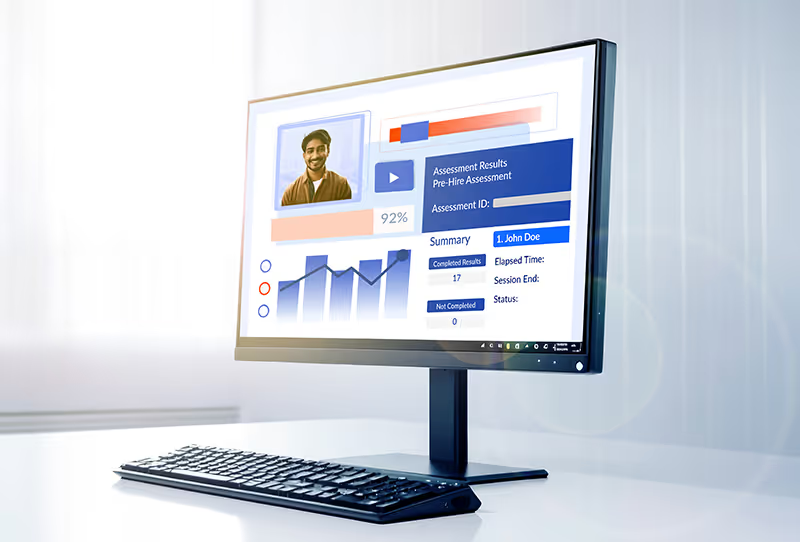
Eliminating data silos = more communication
Whew, that’s a lot of tools. And the more tools there are, the more you need them to be integrated.
When payroll, ATS, onboarding, and performance systems don’t “talk,” you waste time hunting for information or duplicating data entry. Integration ensures all employee data flows automatically between systems, so nothing falls through the cracks.
That’s where APIs step in. Building an API from the ground up can take time — oftentimes, only enterprise companies spend the time doing so when there isn’t an integration already available. But for many platforms, native integrations already exist — making it easy for HR teams to glue together their best tech tools, without impeding productivity or losing track of information.
And that’s where we’ll start with our top five reasons to integrate your HR tools.
- Keep track of data, cut down on team frustration
According to a piece from HR Executive, the COVID pandemic caused companies to introduce a deluge of new apps and modules to facilitate working from home for HR teams. However, all those new platforms actually caused a slowdown in team productivity — having to find information across platforms became increasingly time-consuming and acutely frustrating.
One report from HR Brew found that within teams that relied on only one HR platform, nearly 70% reported confidence in finding the information they needed. However, among companies whose teams used more than one platform, only 49% of employees had that same confidence.
It may not make sense for larger companies to rely on one HRIS platform for all their data and processes. But with robust integrations that make sharing data across software platforms much easier, companies can keep better track of their data and cut down significantly on team frustration, all the while streamlining productivity with better tools.
- Improve accuracy & compliance
Manually re-entering data between platforms increases the risk of typos, outdated records, and compliance errors — especially for payroll, tax reporting, or regulatory forms. An integrated setup keeps information consistent and audit-ready — especially as you add more tools.
- Save time & reduce administrative workload
Integrated systems automate repetitive tasks like updating employee records, generating reports, and syncing benefits info — freeing HR to focus on strategy instead of paperwork.
- Enhance the employee experience
Employees don’t want to juggle multiple logins or repeat the same info during hiring, onboarding, and reviews. Integration gives them a smooth, one-portal experience, making HR processes feel less like a bureaucratic obstacle course.
- Enable better analytics & decision-making
With data connected across the employee lifecycle — from recruiting to retention — you can spot trends, measure ROI, and make informed workforce decisions that would be invisible in disconnected systems.
The eighteen-in-one soaps of the HR world
In modern setups, many vendors integrate these functions — for example, BambooHR combines HRIS + ATS, while Workday combines HRIS + TMS. Enterprise companies often connect specialized systems through their own custom-built APIs or HR data hubs.
Some HR software platforms, like BambooHR, have integration marketplaces where users can browse integratable apps like ATS platforms, payroll tools, performance, benefits administration, time tracking, and more. With pre-built APIs, platforms like BambooHR make it easier for SMBs to build an HR tech stack through native integrations, allowing companies to personalize their tools without the major lift of building APIs on their own.
How do you integrate HR tools?
When adding tools, considering whether they integrate is an important step (the HR chimera deserves to be one creature).
Some enterprise companies build their own APIs to connect disparate tools in their HR tech stack. However, some platforms offer native integrations so they can connect easily with a company’s HR team’s main HRIS or ATS system.
eSkill, for example, offers integration with over 30 ATS systems — that way you can get up-and-running easily and intuitively, without burdening the whole HR team with another disconnected tool.
With our integration, you can send assessments, view scores, and make decisions on candidate advancement - all from your favorite ATS platform.
eSkill, the dog shampoo in your all-in-one soap (but for hiring tech)
We know integrations matter. That’s why we took the time to make sure we integrate with some of the most popular systems. With eSkill, you can streamline your workflows, reduce manual data entry, and create one smooth experience across your entire candidate journey.
Take it from one of our prospects, a wholesaler hiring for warehouse and sales roles that was trying to move from a previous pre-employment testing platform to a more cost-effective platform that also integrated with their ATS — that is, us!
We asked this: If there's one thing that they absolutely hoped a new provider would have, what would it be? Our contact responded that she absolutely wanted integration — in order to eliminate the manual, burdensome process of uploading results to each applicant’s profile in their ATS. That’s exactly what we’re solving for.
HR teams need systems that talk to each other, not a cluttered lineup of tools that create more work. Today, eSkill integrates with 30+ ATS systems right out of the box, and we’re continually expanding that list. And with that, we hope we bring your team the same ease Dr. Bronner’s soap brings to cleaning enthusiasts everywhere.